
Meet Momo Monitor
Your Windows PC, at a glance. A practical guide to readings, cooling, energy and everyday monitoring.
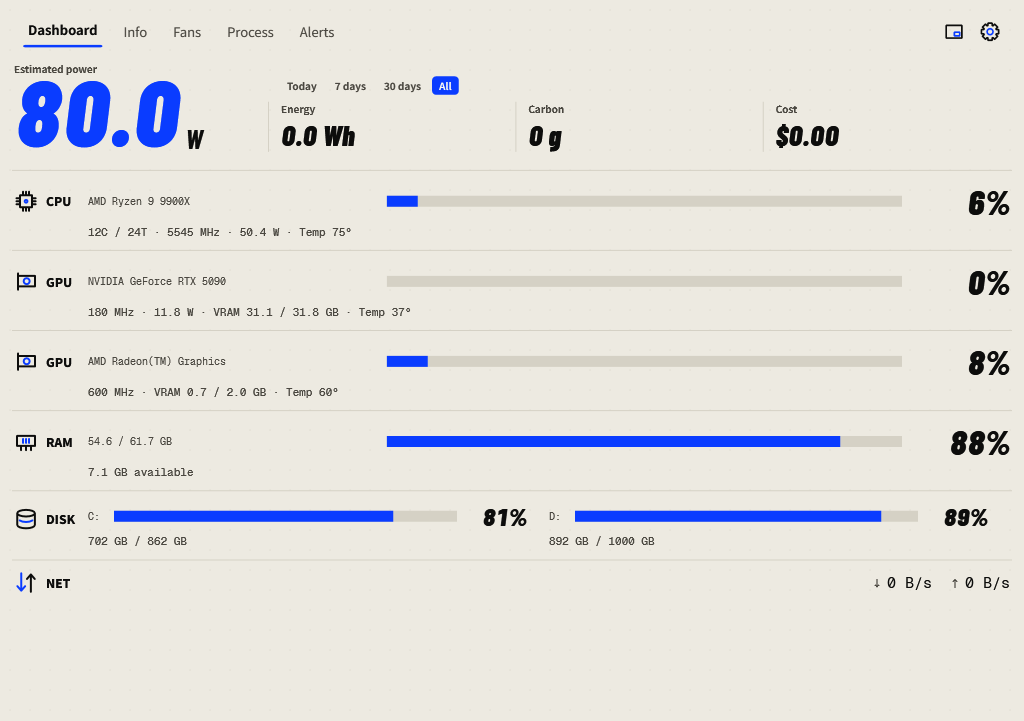
Find what you need
Read your systemUnderstand each dashboard row and investigate a reading.
Manage coolingInspect fan speeds, choose Auto or configure a temperature curve.
Find a busy appFollow live trends and rank processes by power, memory or disk activity.
Track energy & costUnderstand power scope, monitoring coverage and electricity rates.
Keep Momo nearbyUse the compact panel, system tray and Windows startup.
Investigate an alertSet thresholds, review incidents and follow related readings.
Before you begin
Momo is a Windows 11 x64 desktop application. The standard portable package includes its .NET runtime. Extract the complete folder, then run MomoMonitor.exe. Protected hardware readings need administrator access and the supported sensor driver.
This guide uses the English interface in version 0.1.6. Set Settings → General → Language → English, then press OK. Screenshots come from the actual WPF application; readings and available controls vary by computer. Alert examples are explicitly identified.
Where things live
| In Momo | Use it for |
|---|---|
| Dashboard | Live usage, power and cumulative energy. |
| Info | Hardware cards and copyable specifications. |
| Fans | Fan monitoring and supported hardware controls. |
| Process | Live trend charts and process rankings. |
| Alerts | Seven days of incidents, recovery and acknowledgement. |
| Mini button | A compact floating panel with live readings. |
| Settings gear | Appearance, language, monitoring, rates and local data. |